


- Professional Learning Hub
AI Resources & Guidance for Educators

Welcome to the World of AI!
Artificial intelligence is changing how we teach, learn, and work. This resource hub provides GCC educators with approved tools, guidance, and professional learning to support safe, ethical, and effective AI use.
Have any questions or need support?
Reach out to our team at professional.learning@gcccharters.org -- We're here to help!
Start Here (Policies and Guidance)
Start Here (Policies and Guidance)![]()
Start Here (Policies and Guidance)
- Understand district expectations for AI use
Technology Agreement
- Coming Soon
- Best practices for educators when using AI in the classroom
- A quick summary of best practices for AI use in the classroom.
- Guidance for all GCC staff
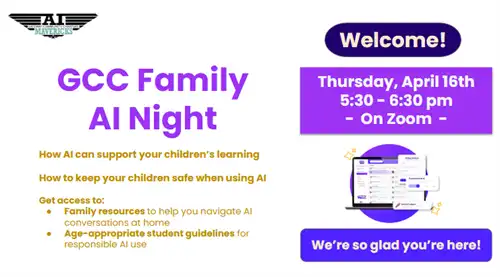
- Support for families in understanding AI use by students
AI Approved Tools for Teachers
ReadAI (Chrome Extension)
Revision History (Chrome Extension)
Micro-Learning Videos
Teacher Moves:
- Create Rubrics with ChatGPT
- AI Cheating Detection
- AI to help build student fluency
- Classroom Management Solutions: Using AI for teacher reflection
- Creating custom lesson plans with AI
- AI powered assessment tools on Wayground
Getting the most out of MagicSchool:
Supporting student well-being:
AI Approved Tools For Students
MagicSchool (Embedded Use)
Class Companion (Embedded Use)
Snorkl (Embedded Use)
SchoolAI (Embedded Use)
Brisk Teaching (Embedded Use)
Gemini (Chrome Extension) (Embedded Use)
Flow Speak (Expanded Use)
Grammarly (Expanded Use)
Snorkl (Embedded Use)
SchoolAI (Embedded Use)
Brisk Teaching (Embedded Use)
Gemini (Chrome Extension) (Embedded Use)
Flow Speak (Expanded Use)
Grammarly (Expanded Use)
Additional Resources
GCC AI Challenge
How to Participate
- Teaching Staff: Review the GCC Educator Guidelines for Student AI Use and the Teacher AI Use overview resource.
- Non-Teaching Staff: Review AI Guidance for GCC Staff
- Print the AI Challenge Bingo Card. (You decide which one works best for you.)
- Starting Wednesday, Feb. 11th, log in to MagicSchool using your GCC work email.
- Cross out the free space on your bingo card (you’ve already started just by logging in!).
- Choose which square to complete next and work through the activities at your own pace.
- Complete all squares on the bingo card.
- Write your name at the top and submit the completed card to your site AI Maverick or administrator to be entered for a prize!
Once you complete the challenge, you’ll continue to have access to MagicSchool through the end of the school year.


